Released: September 19, 2025
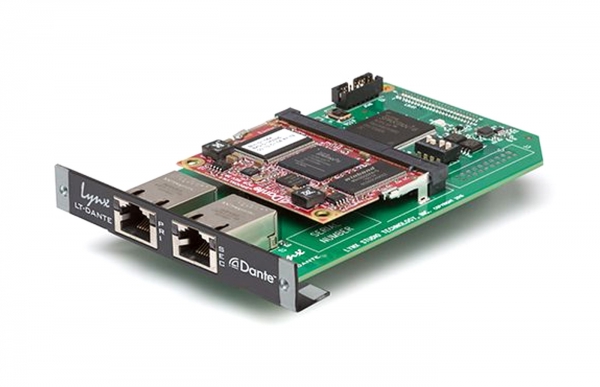
Updates the LT-DANTE FPGA to Version 1.3 firmware.
PLEASE MAKE SURE YOU ARE NOT STREAMING ANY AUDIO WHILE DOING THE FIRMWARE UPDATE.
Please note: There are two sets of firmware on the LT-DANTE board: FPGA and Brooklyn. The LynxFirmware application updates the FPGA firmware, and the Audinate Dante Updater (launched from Dante Controller) updates the Brooklyn firmware.
Lynx recommends that you update the LT-DANTE FPGA Firmware to Version 1.3 BEFORE updating the Brooklyn firmware (which uses the Audinate Dante Updater) to the latest version.
Download and launch LynxFirmware to update the LT-DANTE FPGA Firmware to Version 1.3.
Lynx recommends also updating the LT-DANTE Brooklyn Firmware as it has been recently updated as well.
Brooklyn II: Firmware Version 1.2e; Dante Firmware 4.2
Brooklyn 3: Firmware Version 1.2e; Dante Firmware 4.3
Please use the Audinate Dante Updater to update the Brooklyn firmware on the LT-DANTE card using these steps:
- Launch Dante Controller
- Select View > Dante Updater
- Select the Lynx LT-DANTE device from the “Update(s) Available” section.
- Press the “Update Selected Devices” button
- Once the firmware has fully updated and you see the “Update done” dialog box.
- Power down the Aurora(n) or Hilo to complete the firmware update process.